
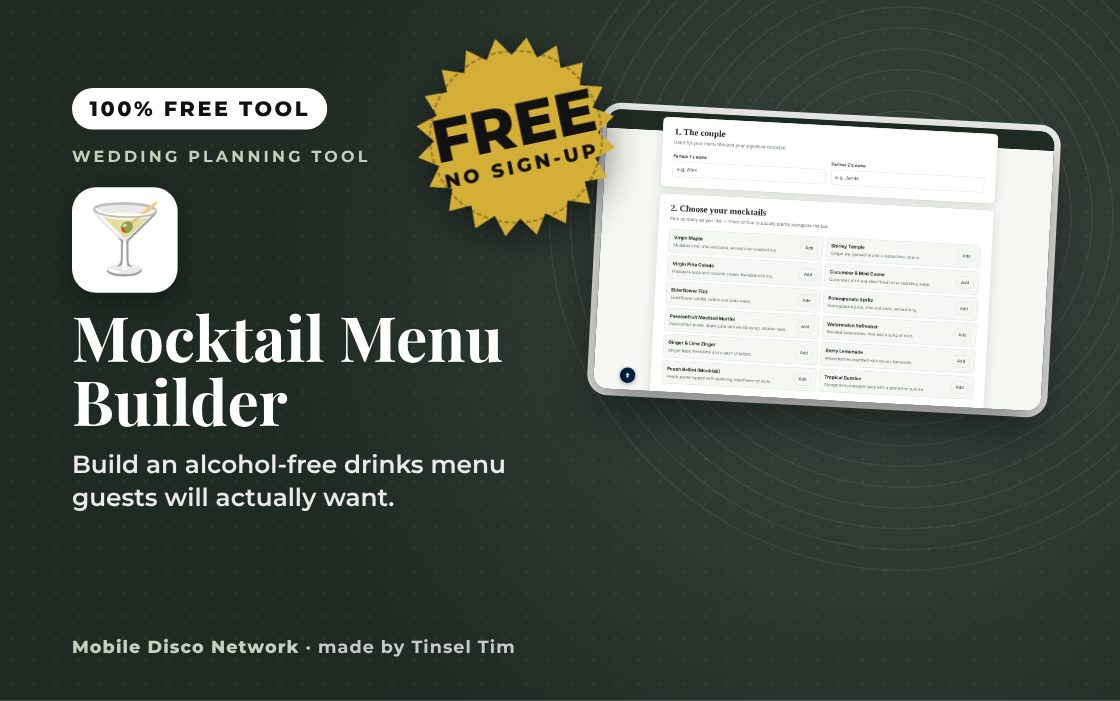
1. The couple
Used for your menu title and your signature mocktail.
2. Choose your mocktails
Pick as many as you like — three or four is usually plenty alongside the bar.
3. Create your signature mocktail
Pick a favourite flavour each and we'll suggest a drink named after you both.
4. Add your own mocktail
Got a family recipe or a local favourite? Add it here.
Your mocktail menu
Updates live as you add mocktails above.
Now work out how much you'll need
Once your menu's set, head to the Wedding Drinks Calculator to work out quantities for your full bar — mocktails included.
Go to the Wedding Drinks Calculator →Quick guide
How to build your wedding mocktail menu
- Enter Partner 1's name and Partner 2's name.
- Choose your mocktails from the list of classics.
- Pick a flavour each and press Create our signature mocktail, then Add to my menu.
- Add any of your own drinks, then use Copy menu, Print or Email this draft to myself.
What it does
- 12 classic mocktails to choose from
- Signature mocktail named after the couple
- Add your own mocktail and description
- Menu updates live as you build
- Copy, print or email the menu
- Saves your menu in your browser
Use it with
- Wedding Cake Calculator – enter day and evening guest numbers, cutting style and cake style to see portions needed, suggested tiers and a rough cost
- Buffet Food Label Maker – print folding buffet labels for each dish with its name, description, vegetarian and vegan badges and the 14 UK allergens marked
- Evening Buffet Calculator – enter your evening guest numbers and tick the dishes you are considering to get buffet quantities and a rough cost guide for your caterer
- Drinks Token Maker – make printable numbered drinks tokens for your guests, with several token types, spares and an optional maximum bar cost worked out from your prices
Questions
Mocktail Menu Builder: common questions
Who is the mocktail menu builder for?
It is for couples who want alcohol-free drinks to feel as considered as the bar list, whether for guests who do not drink, drivers, younger guests or anyone pacing themselves. You can choose from 12 classics such as a Virgin Mojito or Elderflower Fizz, add a signature drink named after you both and include family favourites.
How do I get the menu printed or to my venue?
Press Print to print the menu or save it as a PDF, or use Copy menu to paste the text into a message or your own design. Email this draft to myself opens your email app with the menu filled in, so you can forward it to your venue or bar staff with any notes on ingredients.
Is my menu saved and is it private?
Your names and chosen drinks are saved in your browser's local storage, so the menu is still there if you come back on the same device. Nothing is sent to the website or anyone else. Clear menu empties the list, and clearing your browser data removes it entirely.
How many mocktails should be on a wedding menu?
Three or four is usually plenty alongside the main bar. Aim for a mix of flavours, such as something citrusy, something fruity and something with herbs or spice, and check that your venue or bar can make them in volume. Simple recipes with a few ingredients are easier to serve quickly at a busy bar.
Tim’s tip
Ask the bar to serve mocktails in the same glasses as the cocktails. Guests who are not drinking then feel part of the toast and the dancefloor rather than standing out.

Made by Tim Daymond (Tinsel Tim). Tim has been a DJ since 1976 and has run Mobile Disco Network since 2013. He plays weddings and parties across Norfolk, Suffolk, Cambridgeshire and Lincolnshire. He is a Norfolk County Council Trading Standards Trusted Trader (ID 0000457), a member of the NADJ and the winner of 23 independent awards.
Why choose Tim · Awards · Reviews
Your privacy: this tool runs in your browser. Nothing you type is sent to Mobile Disco Network or stored on a server. Your work is saved in this browser only, so it is there when you come back. Clearing your browser data removes it. Email buttons only open your own email app, and nothing is sent until you press send.
Free to use, no sign-up. Last reviewed 11 October 2026.
Everyone catered for?
Everyone on the dance floor
Tim’s playlists keep every guest dancing, whatever is in their glass. Book Tinsel Tim across Norfolk, Suffolk, Cambridgeshire and Lincolnshire.
Rather talk it through? Call Tim on 07796 565918 or 01760 722283, or message him on WhatsApp.
Your Wedding Toolbox
More free tools to help plan your day.
Did this help?
Leave Tim a review
If this tool helped with your wedding planning, we’d love a quick review — whether you’ve booked Tim or not. It helps him keep this toolbox free and build more tools like it.
Leave a review →Planning the big day? Check Tinsel Tim is free on your wedding date. Check your date → WhatsApp Tim