Ask Tim · 16 answers
DJ song requests and your playlist
How do DJ song requests work? Tim explains your playlist, guest requests by QR code, Do Not Play lists and who has the final say.
Tim’s tip: Pick your key moments and a handful of favourites, then trust me to read the room. A list of 200 must-plays leaves no space to react to the dance floor.
Every answer here is written by Tim Daymond (Tinsel Tim), Norfolk’s only Trading Standards Approved DJ, with 50 years behind the decks. Updated October 2026. Rated 4.9 out of 5 from 250+ reviews · 23 business awards · Check your date
Music, Playlists & Requests: your questions
Can I send Tim my own playlist?
Yes.
Once you've booked, your client portal has a playlist form. List your Must Play songs, your Play If Possible favourites and your Do Not Play songs. There's also a Notes for Tim box for the first dance, cake cutting and any dedications. Tim's library covers more than 50 years of music, and he'll source rare tracks if he doesn't already have them.
When do I need to send my music choices?
Please finish your playlist form at least 14 days before your event.
That gives Tim time to check every track for explicit lyrics and find the right version, such as a radio edit or a particular remix. Small changes are fine up to 7 days before. After that, use the QR code requests on the night or tell Tim when he arrives.
Can guests request songs on the night?
Yes, in three ways.
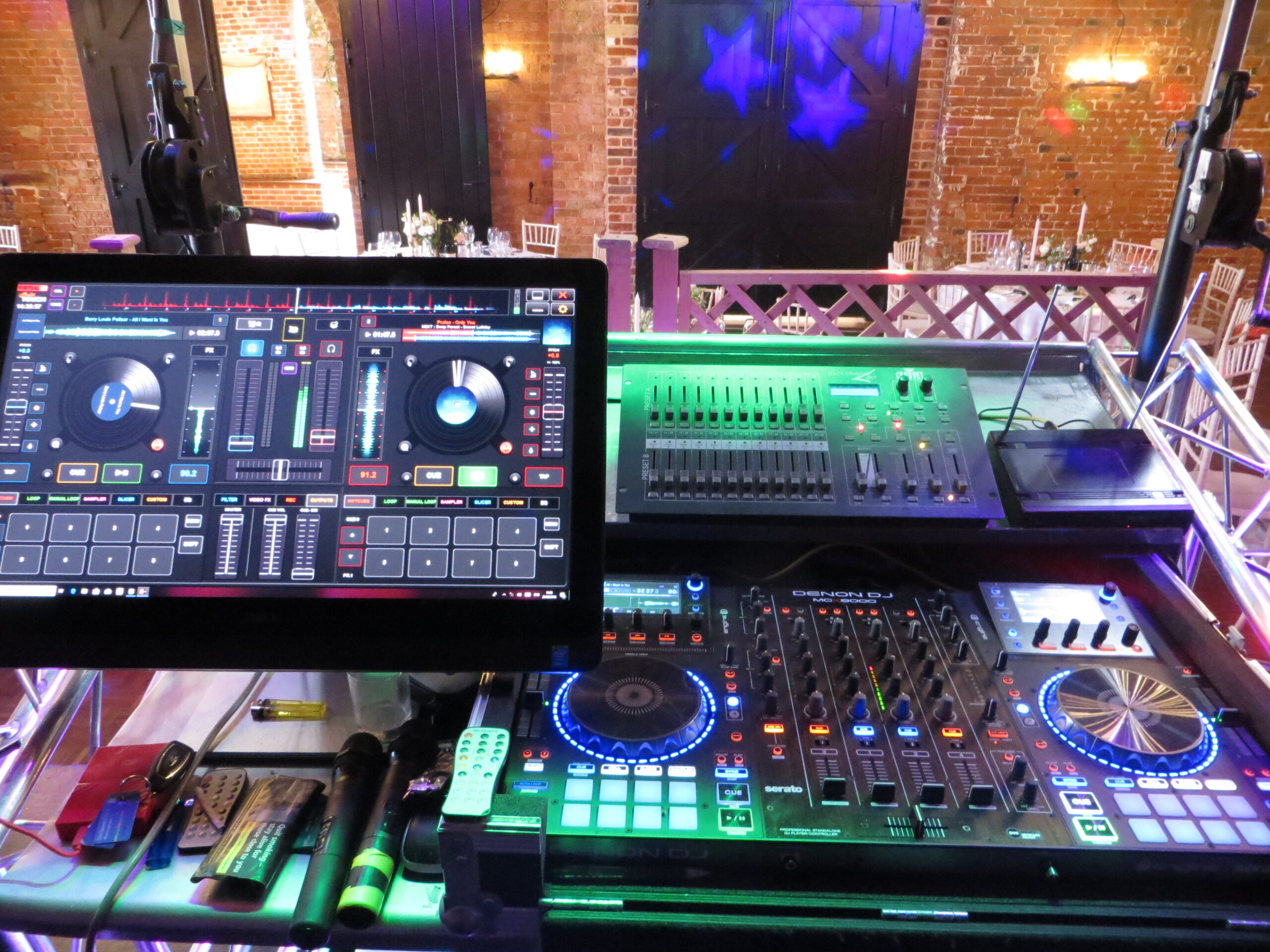
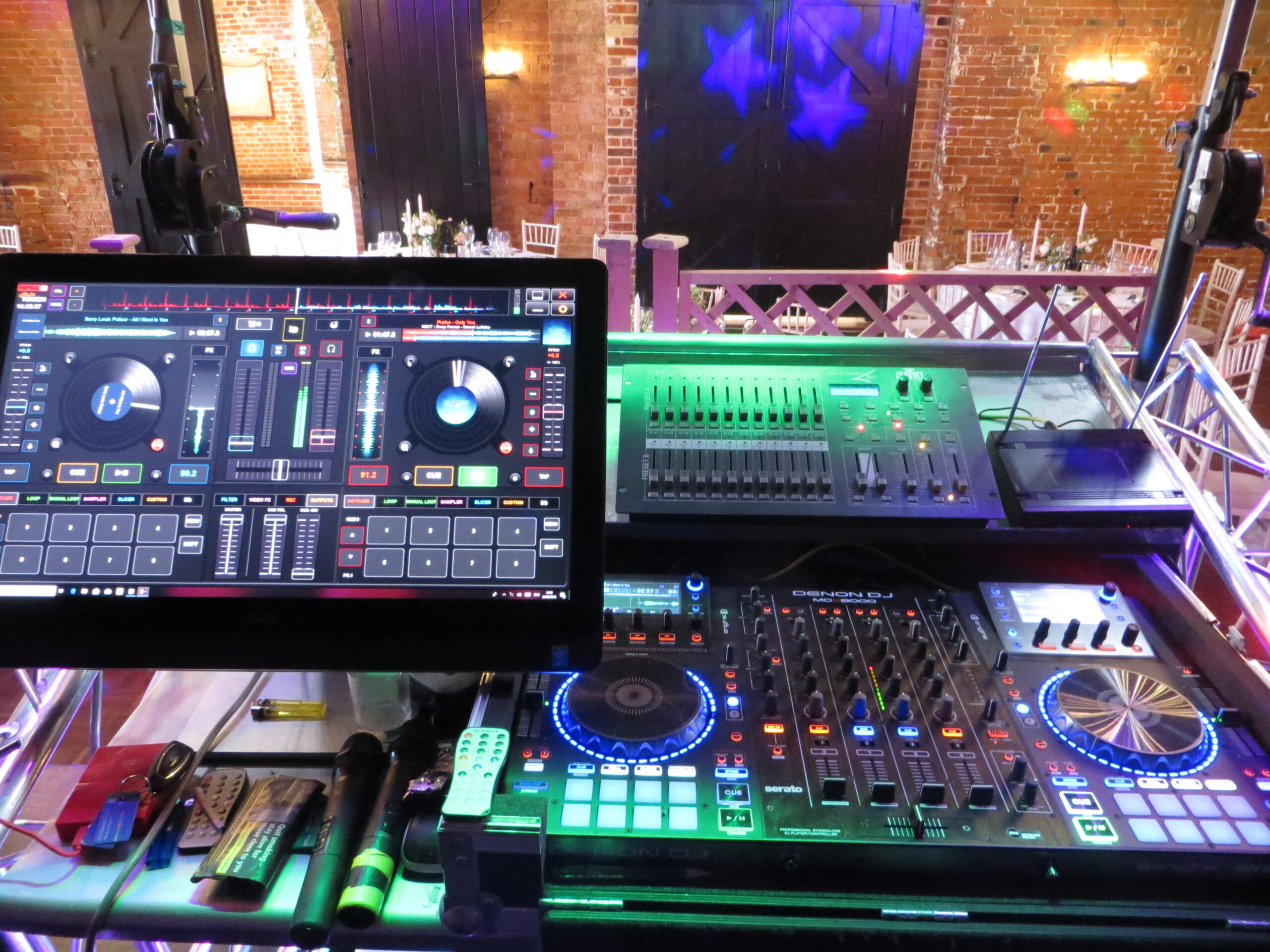
Guests can scan the QR code on their table and send a request straight to Tim's touchscreen, with no app or sign-up needed. They can come to the DJ booth and ask. Or they can simply have a chat with Tim, who'll fit the song in at the right moment.
What if you don't have a song I've asked for?
Tim will source it.
He only uses good-quality audio, never low-quality copies ripped from the internet, and he looks for a clean radio edit where there is one. If you have a rare track, such as a family recording or an acoustic cover, mention it on your playlist form. If a song can't be found, Tim will contact you before the event to agree an alternative.
Can I make a Do Not Play list?
Yes.
Your client portal has a Do Not Play section for songs, artists or whole genres you don't want. Guest requests are checked against it, so a banned song stays banned however much someone asks. Tim's tip: party classics like the Cha Cha Slide can rescue a shy dance floor, so think about allowing one or two.
Do you play every song that guests request?
Tim fits in as many requests as he can, but he picks the moment.
A slow ballad requested in the middle of a high-energy set might be held for later. Anything on your Do Not Play list won't be played, and nor will tracks with explicit lyrics or songs about self-harm or suicide. The aim is simple: keep the whole room dancing.
How does the online music planner work?
After you book, your client portal opens.
First, add your special tracks: the first dance, cake cutting or grand entrance. Next, add your top five favourites and the songs you know will get your group dancing. Finally, add your Do Not Play list. You can update it any time up to 14 days before, and it goes straight to Tim's touchscreen.
Can I change my first dance song at the last minute?
Tim will always do his best to fit in a late change.
The earlier you tell him, the better, because he likes to check he has the best-quality version ready. A late change can't be guaranteed if the track is hard to find.
Who decides the music, us or the DJ?
You do.
Your Must Play and Do Not Play lists are followed, and only you, or someone you choose such as the best man, can change them. Guests can't override your choices. Tim's job is to play your music in the right order at the right moment, so the floor stays full. He also keeps it clean, with no explicit lyrics.
What music do you play?
Everything from the 1950s to today's charts: rock and roll, Motown and soul, 60s, 70s disco, 80s, 90s, indie, rock, pop and dance.
Tim reads the room and mixes it so every age group gets up and dances.
How does the live QR code guest request system work?
Our popular interactive packages show a secure QR code for your guests.
Can guests actually request songs on the night, and what if someone asks for something that would kill the vibe?
Yes — every table has a QR code guests can scan to send requests straight to my touchscreen, live, all night.
Can we choose our own music?
Will the music be family friendly?
Can you play for every age group?
Yes.
Do you provide lighting as well as music?
Yes.
What clients say
“Tim was great! He incorporated all our music choices beforehand. On the night the music was fantastic, the lighting effects were amazing, and the entertainment was so much fun.”
“Highly recommend — was very interactive with everyone, asking for requests, friendly and very professional.”
Useful next steps
More topics
- Booking & AvailabilityChecking your date, how early to book, changes54 answers
- Prices & PaymentsPackages, deposits, payment plans33 answers
- WeddingsCeremony to last dance31 answers
- Birthdays, Anniversaries & PartiesMilestones, retro nights, Christmas20 answers
- Children’s Parties & PromsGames, ages, school discos22 answers
- On the NightSet-up, venues, timings, sound limiters14 answers
- Safety, Insurance & TrustTrading Standards, PLI, PAT, DBS37 answers
- Photo Booths & ExtrasSelfie Pod, Boogie Bingo, effects42 answers
- Hiring a DJ: Mistakes to AvoidWhat to check before you book anyone22 answers
- Special EventsCelebration of life, sensory-friendly, retail, fetes49 answers
- Your Client PortalContracts, payments and planning online9 answers
- Free Tools & Website HelpThe 100+ free tools, the shop and accessibility373 answers






Didn’t find your answer?
Ask Tim directly. He reads every message himself.