
Design your raffle tickets
Work down the steps on the left — the ticket updates live on the right. The buyer keeps the ticket; the stub with their name goes in the draw.
Planning an event?
Raising money? Add Boogie Bingo to the night
Tim hosts Boogie Bingo and discos for fundraisers, PTAs, clubs and village halls across Norfolk, Suffolk, Cambridgeshire and Lincolnshire — a brilliant way to fill the room and boost the total.
Rather talk it through? Call Tim on 07796 565918 or 01760 722283, or message him on WhatsApp.
Quick guide
How to make printable raffle tickets
- Choose whether tickets are sold only at the event or in advance as a small society lottery.
- Fill in the heading, event, ticket price, draw date and any required society and promoter details.
- Set the first number and how many tickets, then choose the design and size.
- Press Download print-ready PDF, print at Actual size and cut along the grey lines.
What it does
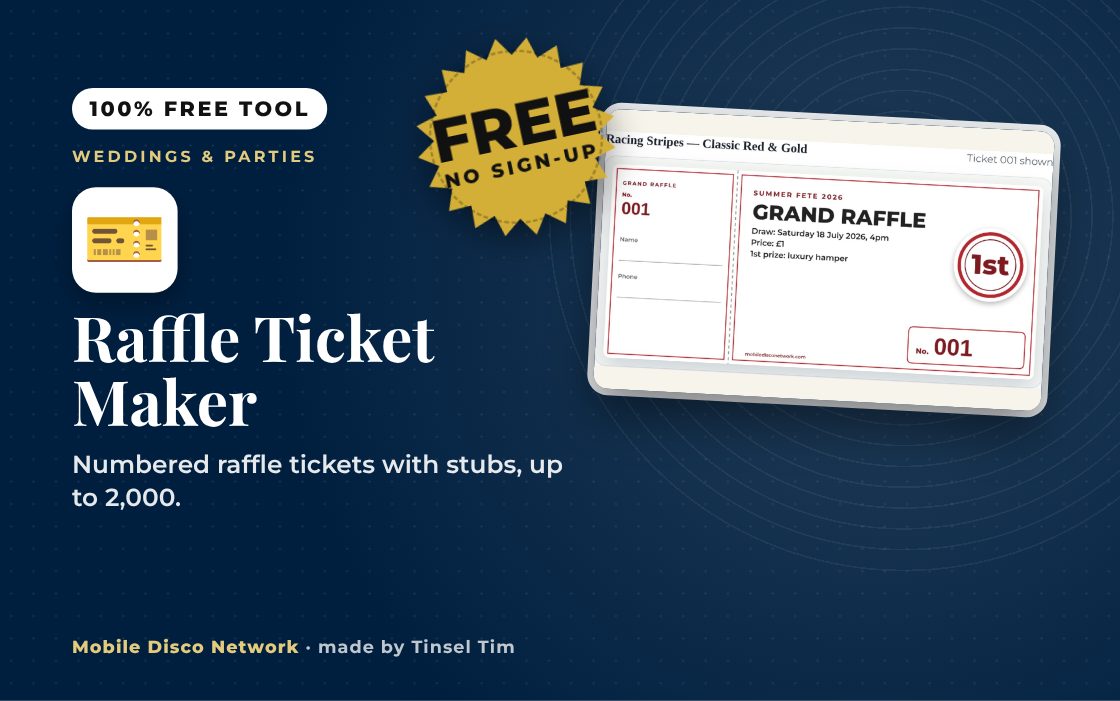
- Numbered tickets with matching stubs
- Event-only or small society lottery modes
- Custom start number and letter prefix
- Three ticket sizes per A4 sheet
- 15 colour themes and ink saver
- Print-ready PDF or JPG download
Use it with
- Music Bingo Card Maker – print up to 100 different music bingo cards from eight ready-made 45-song games, 50s to 00s, or your own list, plus a host's sheet and a winner checker
- Party Games Card Maker – pick classic children's party games and print a card for each with what you need, how to play and an everyone-can-play version
- Party Games & Icebreaker Generator – choose your group size and energy level to get a party game or icebreaker suggestion with instructions, and swap it for another at the press of a button
- Wedding Games Question Generator – generate questions for the Shoe Game or a Mr & Mrs Quiz, star your favourites and build a final shortlist ready to read out
Questions
Raffle Ticket Maker: common questions
Who is the raffle ticket maker for?
It suits anyone running a raffle: school PTAs, sports clubs, charities, village fetes, fundraising discos and family parties. Each ticket has a matching stub for the buyer's name and phone number, so the buyer keeps the ticket and the stub goes in the draw. You choose how many tickets, the first number and an optional letter prefix.
How do I print the tickets?
Download the PDF and print at Actual size or 100%, not fit to page. Ordinary 80 to 120 gsm paper is fine. Standard tickets fit 12 to an A4 sheet, compact 16 and large 8. Cut along the grey lines, then tear or cut along the dotted line between each stub and ticket.
Are my raffle details saved or sent anywhere?
No. The wording, numbers and PDF are created in your browser and the page does not send them anywhere. Nothing is saved, so if you reload the page your settings go back to the defaults. Download the PDF once everything is correct.
Do I need a licence to run a raffle?
The tool explains two common cases. A raffle sold only at the event while it is on is usually an incidental lottery that needs no licence, within set limits. Selling tickets in advance generally means a small society lottery registered with your council, and the tickets must show certain details. Check the Gambling Commission's guidance or your council before selling.
Tim’s tip
Do the draw before the last part of the night, not at the very end. People who have to leave early still get to hear their number called, and the dancefloor is not interrupted at its busiest.

Made by Tim Daymond (Tinsel Tim). Tim has been a DJ since 1976 and has run Mobile Disco Network since 2013. He plays weddings and parties across Norfolk, Suffolk, Cambridgeshire and Lincolnshire. He is a Norfolk County Council Trading Standards Trusted Trader (ID 0000457), a member of the NADJ and the winner of 23 independent awards.
Why choose Tim · Awards · Reviews
Your privacy: this tool runs in your browser. Nothing you type is sent to Mobile Disco Network or stored on a server. Nothing is saved once you close the page.
Free to use, no sign-up. Last reviewed 11 October 2026.
Did this help?
Leave Tim a review
If this tool helped with your celebration planning, we’d love a quick review — whether you’ve booked Tim or not. It helps him keep this toolbox free and build more tools like it.
Leave a review →Planning an event? Check Tinsel Tim is free on your date. Check your date → WhatsApp Tim