
Make your Christmas card
Fill in the steps and watch the card on the phone screen. Press Preview the card to see the whole show, then send it.
Planning a Christmas party?
Rather have the real light show?
Tinsel Tim brings the mirror ball, the lights and the Christmas hits to office parties, family get-togethers and festive nights out across Norfolk, Suffolk, Cambridgeshire and Lincolnshire. December dates go first.
Rather talk it through? Call Tim on 07796 565918 or 01760 722283, or message him on WhatsApp.
Quick guide
How to send your free Christmas ecards
- Type their name for the envelope and who it is from.
- Pick the greeting in lights, choose a message and change it if you like.
- Choose a Christmas song, a look and whether you want falling snow, then press Preview the card.
- Press Send on WhatsApp, Copy the link or Send by email, or save a picture for your Stories.
What it does
- 22 Christmas songs with a 30-second preview
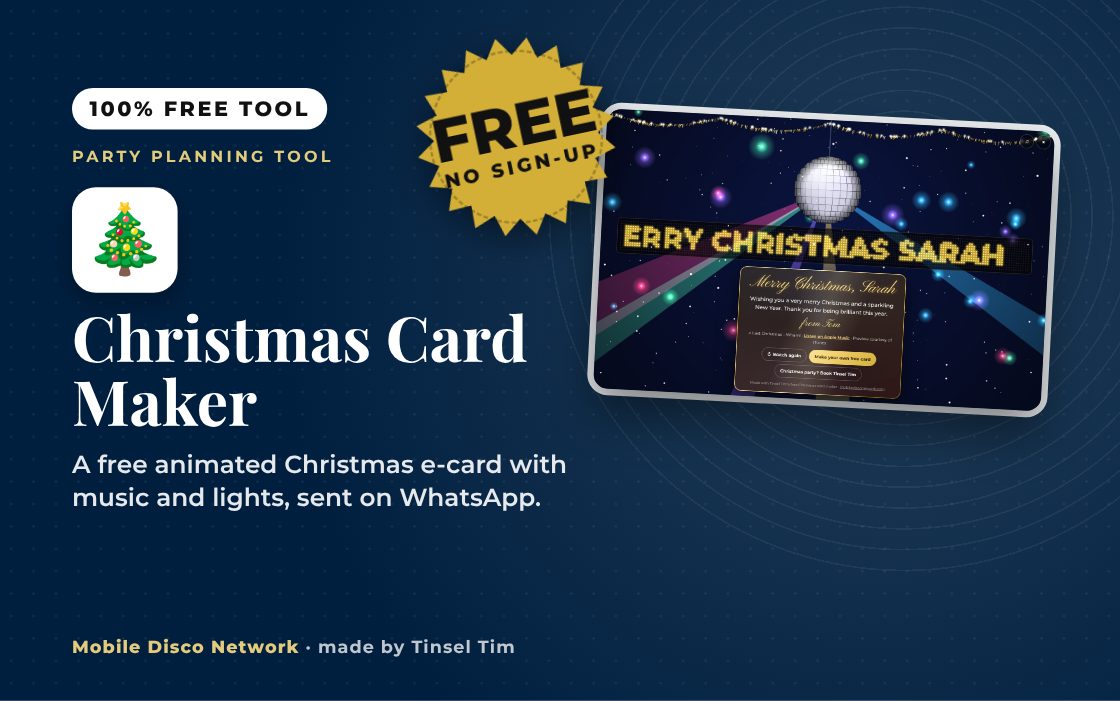
- Mirror ball, light beams, snow and an LED name sign
- Sealed envelope that opens with a tap
- Three looks: midnight disco, frosty silver, tinsel red
- Send on WhatsApp, by text, email or QR code
- Picture for Instagram and Facebook Stories
Use it with
- Secret Santa Generator – draw Secret Santa names with no email or sign-up: keep couples apart, set a spending limit and swap date, and send each person a private link that reveals only their own match
- Christmas Party Countdown Checklist – a tick-off checklist of 24 Christmas party tasks grouped into four stages, from six or more weeks before the party down to the day itself
- Music Bingo Card Maker – print up to 100 different music bingo cards from eight ready-made 45-song games, 50s to 00s, or your own list, plus a host's sheet and a winner checker
- Party Games & Icebreaker Generator – choose your group size and energy level to get a party game or icebreaker suggestion with instructions, and swap it for another at the press of a button
Planning tips
Getting the most from your Christmas e-card
Make it personal
A line that only they would understand, such as a family joke or a memory from this year, makes a bigger impression than a long message. Keep it to two or three sentences so it fits on the card without scrolling.
Pick a song that means something
Choose the Christmas song your family always puts on first, or the one that was playing at last year's party. If you are sending to a group, the big sing-along classics such as Slade, Wham! or Mariah Carey work for every age.
Send it at the right moment
Cards sent on Christmas Eve or Christmas morning get the biggest reaction, and a link sent to a family group chat means everyone opens it together. For a work card, send it on the last working day before the break.
Questions
Christmas Card Maker: common questions
Is the Christmas e-card really free?
Yes. There is no sign-up, no app and no charge, and the card has no adverts. It is made by Tinsel Tim at Mobile Disco Network, and the end of the card has a small note saying so, with a link for anyone who wants to make their own or book a Christmas party.
How does the person open the card?
They tap the link you send them. A sealed envelope appears with their name on it; when they tap it, the envelope opens, the mirror ball drops in, the lights and snow start and the song plays. Your message then appears on a gold card. It works on phones, tablets and computers, and is best with the sound on.
Are the names and message stored anywhere?
No. The whole card is packed into the link itself, in the part after the hash, which browsers do not send to the website. Nothing is saved on our server and there is no account. Anyone who has the link can open the card, so only send it to the people it is meant for.
Why does the song only play for 30 seconds?
The music comes from the official 30-second previews that Apple provides through iTunes, so the songs are properly licensed for this use. The card shows the song name with a Listen on Apple Music link for anyone who wants the full track. If a preview cannot load, the card still plays without sound.
Can I send one card to lots of people?
Yes. Leave their name blank and the envelope simply says Tap to open, then send the same link to everyone, or post it in a family or work group chat. For a paper card, open the link and QR code section and print the QR code inside it, so the card comes to life when they scan it.
Tim’s tip
Tell them to turn the sound up before they tap the envelope. With free Christmas ecards like these, the moment the mirror ball drops and the song kicks in is the bit people send to their friends.

Made by Tim Daymond (Tinsel Tim). Tim has been a DJ since 1976 and has run Mobile Disco Network since 2013. He plays weddings and parties across Norfolk, Suffolk, Cambridgeshire and Lincolnshire. He is a Norfolk County Council Trading Standards Trusted Trader (ID 0000457), a member of the NADJ and the winner of 23 independent awards.
Why choose Tim · Awards · Reviews
Your privacy: this tool runs in your browser. Nothing you type is sent to Mobile Disco Network or stored on a server. Nothing is saved once you close the page. Song searches go to Apple’s iTunes service with the song name only, never your details.
Free to use, no sign-up. Last reviewed 11 October 2026.
Did this help?
Leave Tim a review
If this tool helped with your celebration planning, we’d love a quick review — whether you’ve booked Tim or not. It helps him keep this toolbox free and build more tools like it.
Leave a review →Planning the Christmas do? Check Tinsel Tim is free on your date. Check your date → WhatsApp Tim